Should flashcards have a translation or an English definition?
Put a translation in your own language on the back. In two studies it worked at least as well as ...
By Kamil
8 mins read
Put a translation in your own language on the back. In two studies it worked at least as well as an English definition, so keep the English for an example sentence in the notes.
Prince (1996) describes a widespread view that learners should move away from translations and toward learning from context as soon as they can. The studies below give a milder answer. A translation gets the meaning across quickly. It leaves out how the word behaves in a sentence, and that part fits in the notes of the same card.
What the studies found
Laufer and Shmueli (1997) taught new English words in four ways: in a list, in one sentence, in a text, and in a text with extra explanations. In each condition, half of the words were translated into the learners' first language and half were explained in English. Words glossed in the first language were always retained better than words explained in English, in the short and the long term. Words learned from lists and single sentences were also remembered better than words met in a text. The authors suggest that bilingual lists may help learners think about a new word more deeply.
Joyce (2018) ran a longer study, in which 48 Japanese learners of English studied 200 words from the Academic Word List over ten weeks, half of them with Japanese translations and half with English definitions. On the tests, the learners recognized the English words better when they matched them to Japanese translations than to English definitions. They also scored higher when the test used the same language they had studied in. Overall, though, the language of study did not change the scores. In this study the translation did no harm, and it gave no overall advantage either.
Prince (1996) compared learning words with translations and learning them from sentences in the new language. Translation learning produced more words. The weaker learners, however, could not use the words they learned from translations when they met them in sentences in the new language. Prince suggests combining the two methods.
A picture is another option for the back. Lotto and de Groot (1998) had 56 Dutch adults learn 80 Italian words, either with the Dutch translation or with a picture. Learning with the translation gave better results than learning with the picture, and recall was better when the cue at the test matched the way the word had been learned.
What this means for your cards
A translation on the back is a good default. It is fast to write and fast to check, and in the studies by Laufer and Shmueli and by Joyce it was at least as good as a definition. Prince's result shows its weak spot, because a translation does not show you the word in a sentence. Joyce also found that learners scored best when the test matched the form they had studied. If your exam asks you to match English words with English definitions, practise with definitions too.
So use the translation for the meaning and the notes for the English. Two example cards for a Polish speaker follow. I wrote them myself, so treat them as examples:
| Front | Back | Notes |
|---|---|---|
| I keep putting off my dentist appointment. | Ciągle odkładam wizytę u dentysty. | put off: to delay something, often because you do not want to do it |
| My commute takes an hour. | Dojazd do pracy zajmuje mi godzinę. | commute: the regular trip between home and work; also a verb, I commute by train |
The second card shows when an English note is worth writing. Polish has no single word for commute, so the translation on the back gives you only part of the meaning, and the note in English adds the rest. For words with a clean one-to-one translation, such as dentist, the translation alone is enough.
Both fronts are full sentences, so each card also shows the word in use. Which side holds which language is a separate choice with its own trade-offs; see which direction your flashcards should go. For words that come in fixed pairs, like heavy rain, see whether to learn words or phrases.
Fill the back with Translate
In the OxyLesson card form, the Back field has a Translate
button with a globe icon. Press it, pick the language from the list (All languages
), and OxyLesson translates the text of the Front into the Back. It replaces whatever was in the Back field, so translate first and edit afterwards.
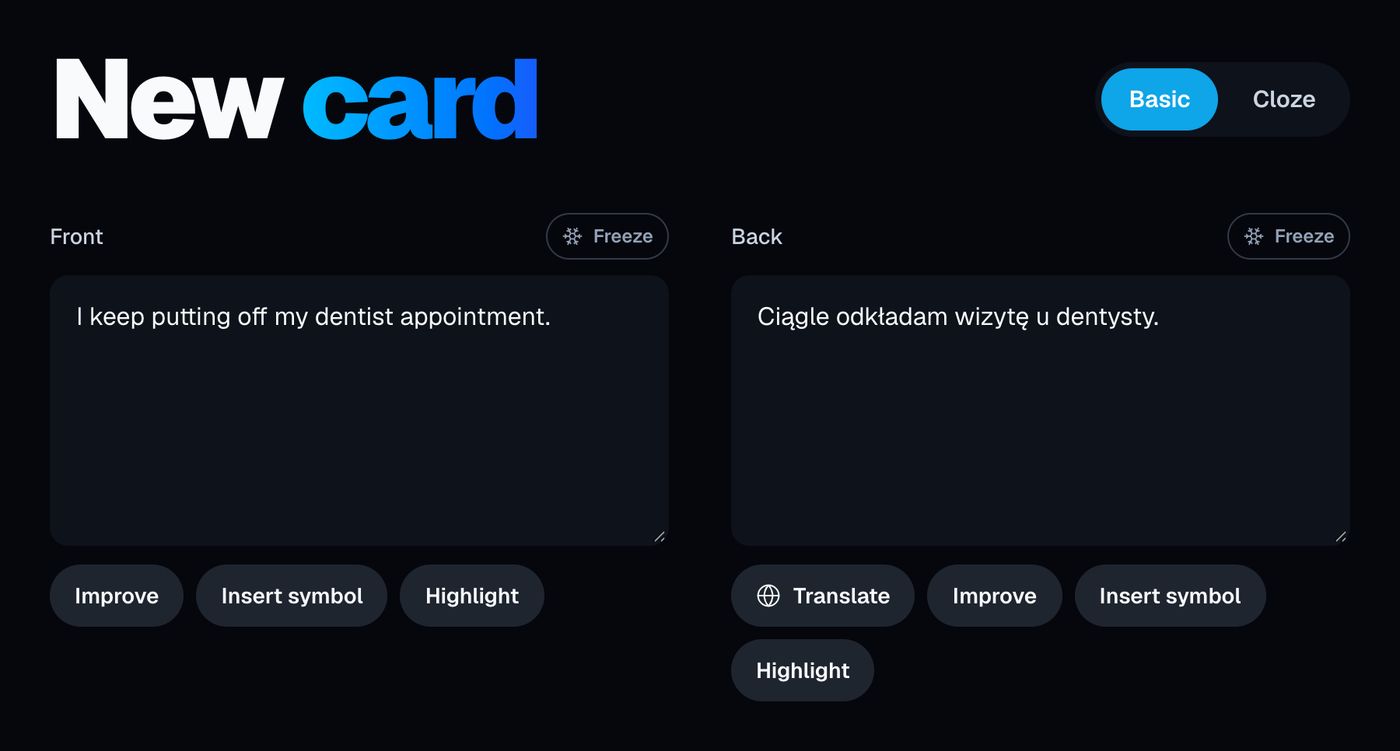
The translation comes from a language model, so read it before you save the card. A machine translation can pick the wrong sense of a word with several meanings.
If your Front holds only one word, Improve
can turn it into a sentence. It works on one side at a time and needs both sides filled. Press it under the Front, and its instructions ask the model to replace an isolated word with one short, everyday sentence that uses it. Press it under the Back, and they ask for a translation of that whole sentence. Check both results the same way.
Add the English with Help me understand
Under the Notes field (Optional context for yourself
) are two buttons, Help me understand
and Help me remember
. Help me understand
asks for a short explanation of what the card means and one example sentence that uses it, and adds the text to Notes, where you can edit it before you save.
The same buttons appear on the answer side in a review. There the help opens in a Study help
window, and Save as note
adds it to the card's note.
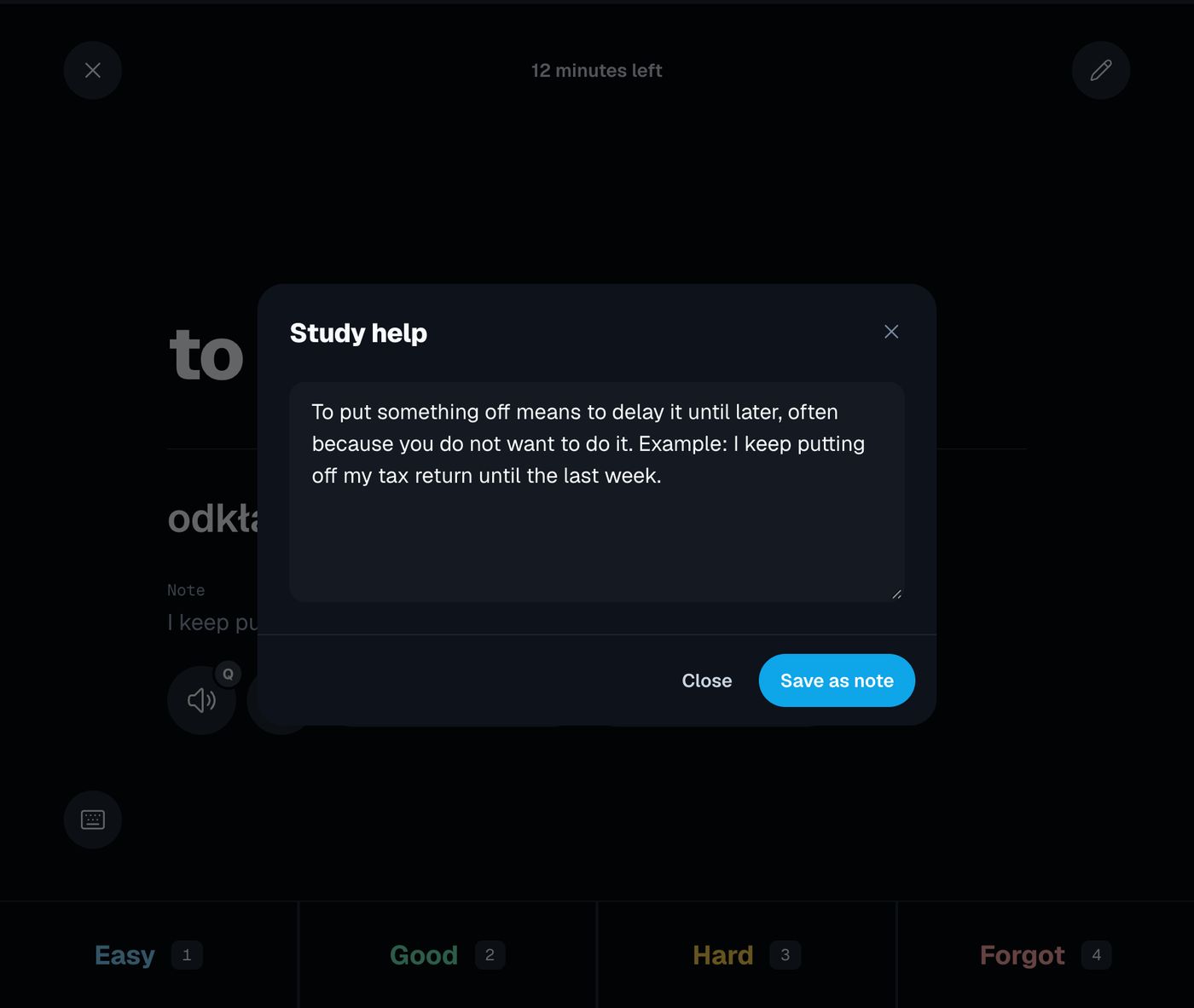
The text in the screenshot is sample text written for the picture. The help is always written in the language of the card's Front. If your Front is in your own language, the explanation comes in your language. If your Front is in English, you get an English explanation, which works as the definition in the notes.
Translate many cards at once
If you have many cards with English on the front, you do not have to translate them one by one. In the Library, select the cards (on a phone, press Select
first) and press Translate
in the selection bar. The window shows Front → Back
and replaces the back
, and you pick the language. The notes stay as they are.
Cards made from a cloze note are skipped, because their back belongs to the note, and the message tells you to edit the note instead.
The ready-made decks work the same way. When you add cards from one, you choose a Card front language
and a Card back language
. If a card has no text in one of those languages, OxyLesson machine translates that side. Check those cards in your first reviews and edit any that look wrong.
A simple rule
Write the translation on the back of every new word. Add an English note when the word has no clean equivalent in your language, or when you will need the English definition in a test. Keep the front a short sentence, so the card shows the meaning and the use together.
For more on writing the cards themselves, see how to make effective flashcard decks.
Sources:
- Joyce, P. (2018). L2 vocabulary learning and testing: The use of L1 translation versus L2 definition. The Language Learning Journal, 46(3), 217-227 (published online 2015). https://doi.org/10.1080/09571736.2015.1028088
- Laufer, B., & Shmueli, K. (1997). Memorizing new words: Does teaching have anything to do with it? RELC Journal, 28(1), 89-108. https://doi.org/10.1177/003368829702800106
- Lotto, L., & de Groot, A. M. B. (1998). Effects of learning method and word type on acquiring vocabulary in an unfamiliar language. Language Learning, 48(1), 31-69. https://doi.org/10.1111/1467-9922.00032
- Prince, P. (1996). Second language vocabulary learning: The role of context versus translations as a function of proficiency. The Modern Language Journal, 80(4), 478-493. https://doi.org/10.1111/j.1540-4781.1996.tb05468.x
Cover photo by stevepb on Pixabay.