Should you make your own flashcards or use a ready-made deck?
Make your own cards when you have time: students who wrote their own flashcards remembered more t...
By Kamil
7 mins read
Make your own cards when you have time: students who wrote their own flashcards remembered more than students who studied premade ones. A ready-made deck still works if you rewrite its cards.
Writing the cards is part of the learning. A deck someone else made saves hours, so the practical route is to import it and rewrite the cards in your own words before you study them.
What the research found
Steven Pan and colleagues ran six experiments on this question (Pan et al., 2023). Undergraduates learned material from educational text passages with digital flashcards. Some made the cards themselves, and others used premade cards. Everyone took a test 48 hours later. In five of the six experiments, the students who made their own cards learned more. Across the experiments, the advantage was d = 0.45 for remembering the material and d = 0.29 for questions that asked students to apply it, where the gain showed up in most cases but not all.
The advantage was especially large when students paraphrased the text or copied and pasted it into the cards. It held against premade cards of high quality as well as low quality, so a carefully made deck did not close the gap.
This fits a much older finding called the generation effect: you remember information you produce better than information you only read. A meta-analysis of 86 studies put the size of that effect at .40, almost half a standard deviation in favour of generating over reading (Bertsch et al., 2007).
Pan's participants were university students learning from text passages, and the test came two days later. The study did not test word lists in a foreign language or exam decks studied over months.
When a ready-made deck still makes sense
The authors themselves list the case for premade cards: they are more convenient and save time. If you have an exam in a few weeks and a deck that matches the syllabus, building every card from scratch may cost more hours than it saves. You can keep most of the time savings and still do some of the generating yourself.
In OxyLesson, press New card
and choose Explore collections
to open Ready-made decks
. Most collections are short English word and phrase lists. Take the Meetings collection, which has six cards: agenda, minutes, chair, propose, agree and item. On the collection page you choose Card front language
and Card back language
, add at least one tag under Tags (required)
, and untick any card you do not want. Import selected
adds the rest to your library.
Read the backs once after the import. OxyLesson fills in the other side with a machine translation of the word on its own, and two of these words have more than one meaning. Minutes
here is the written record of a meeting, and chair
is the person who runs it. A one-word card cannot tell the translator, or you, which meaning it asks about.
Rewrite the cards into your own words
Rewriting puts back the work that premade cards skip. Open each imported card from the Library and turn the lone word into a sentence you would actually say or read at work. These are example cards I wrote for the Meetings words:
Front: Who is taking the minutes today?
Back: the written record of what was said and decided in a meeting

Front: Anna will chair the meeting while Tom is away.
Back: to run a meeting and keep it on topic
Select the word the card tests, here minutes and chair, and press Highlight or Cmd/Ctrl+U. The review underlines it, so you know which word the card asks about. Use the Notes field for anything that helped you understand the word, such as where you met it.
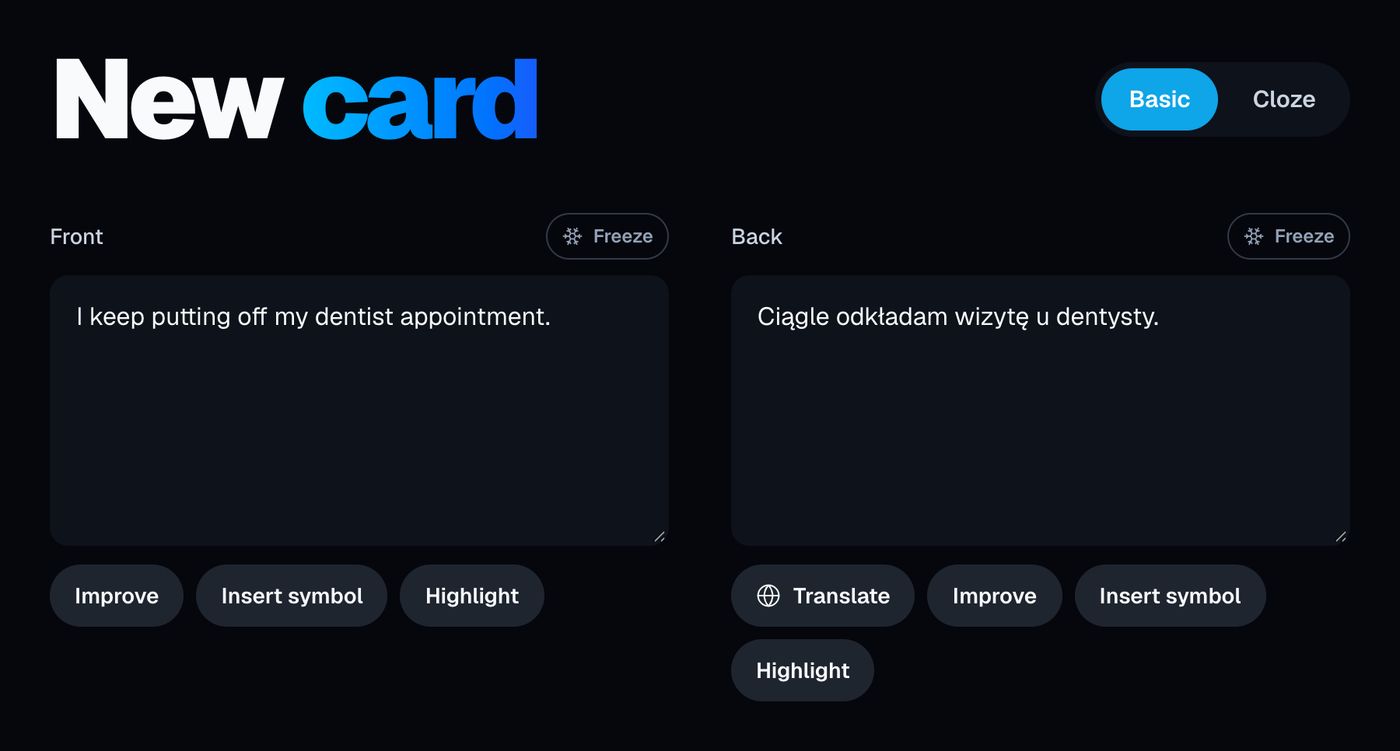
The card form also has AI helpers. Improve
rewrites one side and needs both sides filled. Help me understand
and Help me remember
under Notes ask the model for an explanation or a memory hook, and you can keep the text in the note. They help when a card from someone else makes no sense to you. In Pan's experiments the benefit came from students putting the material into cards themselves, and when a model writes the sentence, you skip that work. Type the rewrite yourself where you can, and keep the AI helpers for cards you are stuck on.
If a premade card asks for a list or packs two facts together, split it, as described in how to create effective flashcards.
Decks from a classmate or from Anki
A study group can share the work. In the Library, select the cards you want to share and press Share
. Give the set a Collection name
and press Create link
. The dialog tells you how long the link works. Anyone who has the link can sign in and import the cards. Your friend sees Import cards
with the cards listed, unticks the ones they do not need, and presses Import selected
. OxyLesson tags the imported cards with the collection name and with imported, so they are easy to find later.
For a deck someone posted for Anki, choose Import Anki, TXT or CSV
and upload the .apkg file. The import keeps the text, the tags and cloze notes. It does not bring over images, audio or the review history, so the cards start fresh in OxyLesson's schedule.
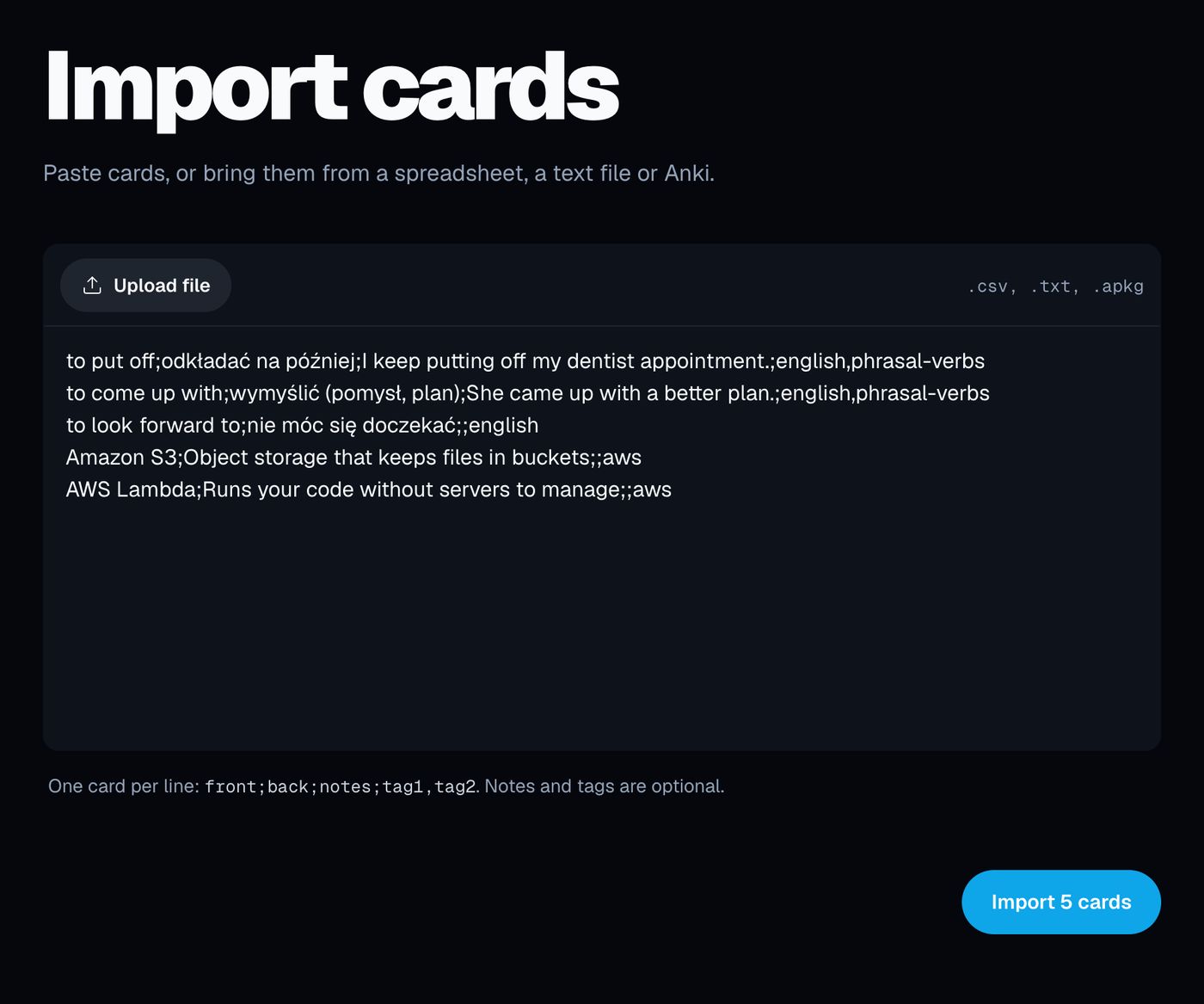
For you, a classmate's deck is premade: the classmate did the generating. Edit its cards the same way you edit a ready-made collection.
After the import
Wissman, Rawson and Pyc surveyed 374 undergraduates about how they use flashcards (Wissman et al., 2012). Students understood that more practice helps, but most did not use longer gaps between practice sessions or see why gaps help. OxyLesson sets those gaps for you, whether you made the cards or imported them. It schedules every card with FSRS, and there is nothing to configure. A review shows only the cards that are due. There is no study-ahead mode and no exam-date setting, so start early enough for the reviews to spread out before your exam.
Once a week, open the Library, filter by the tag you gave the import (or by imported), and add the Forgot difficulty chip. For each card there that you have not rewritten yet, write your own sentence, or delete the card if you do not need it. Cards for mistakes you made yourself belong in a mistakes log.
Sources:
- Bertsch, S., Pesta, B. J., Wiscott, R., & McDaniel, M. A. (2007). The generation effect: A meta-analytic review. Memory & Cognition, 35(2), 201-210. https://doi.org/10.3758/BF03193441
- Pan, S. C., Zung, I., Imundo, M. N., Zhang, X., & Qiu, Y. (2023). User-generated digital flashcards yield better learning than premade flashcards. Journal of Applied Research in Memory and Cognition, 12(4), 574-588. https://doi.org/10.1037/mac0000083
- Wissman, K. T., Rawson, K. A., & Pyc, M. A. (2012). How and when do students use flashcards? Memory, 20(6), 568-579. https://doi.org/10.1080/09658211.2012.687052
Cover photo by AnnasPhotography on Pixabay.