How do you learn from your mistakes in a foreign language?
To learn from a mistake, write down what you said and the corrected sentence. Then turn the corre...
By Kamil
7 mins read
To learn from a mistake, write down what you said and the corrected sentence. Then turn the correction into a flashcard that makes you produce the right form again over the next weeks.
Why corrections are worth keeping
Corrective feedback works in language classes. Lyster and Saito pooled 15 classroom studies with 827 learners and found that oral corrections had significant and durable effects on the learners' language (Lyster & Saito, 2010). Li's meta-analysis of 33 studies found a medium overall effect of corrective feedback, and the effect held at later tests (Li, 2010).
The kind of correction matters too. In Lyster and Saito's analysis, prompts had larger effects than recasts. A prompt pushes the learner to fix the error themselves; a recast is the teacher repeating the sentence correctly. A cloze card works a bit like a prompt: it shows your sentence with a gap where you went wrong, and you have to recall the right form. That link is my own reading: the studies tested feedback in classrooms, with no flashcards involved.
Memory research adds a second reason. Janet Metcalfe's review concludes that making errors and then getting corrective feedback helps learning, and that errors people strongly believed were right get corrected more readily than errors they guessed at (Metcalfe, 2017). In an earlier experiment, the errors people had made with high confidence were the most likely to be corrected on a later retest (Butterfield & Metcalfe, 2001). So the mistakes that surprise you, where you were sure you had it right, are good ones to put on cards.
Collect the mistake as you made it
For each mistake, write down three things:
- the sentence exactly as you said or wrote it,
- the corrected sentence,
- one line on why, in words you understand.
Corrections come from a teacher's marks on your writing, a tutor's notes after a lesson, a message a native speaker fixed for you, or a practice conversation with an AI chat. Write the entry the same day, while you still remember what you meant to say.
Check the correction before you save it
A correction can be wrong. Teachers make slips. An AI chat can flag a sentence that was fine, miss a real error, or explain a rule that does not exist, and I know of no good evidence that AI chats correct learners reliably. Treat every correction as a suggestion until you have checked it:
- Ask why. If the explanation does not make sense to you, do not save it yet.
- Look the rule or the word up in a grammar reference or a learner's dictionary.
- Bring the corrections you are unsure of to a teacher or tutor if you have one.
A wrong correction on a card is worse than none, because you practise it every time the card comes back.
Turn each correction into a cloze card
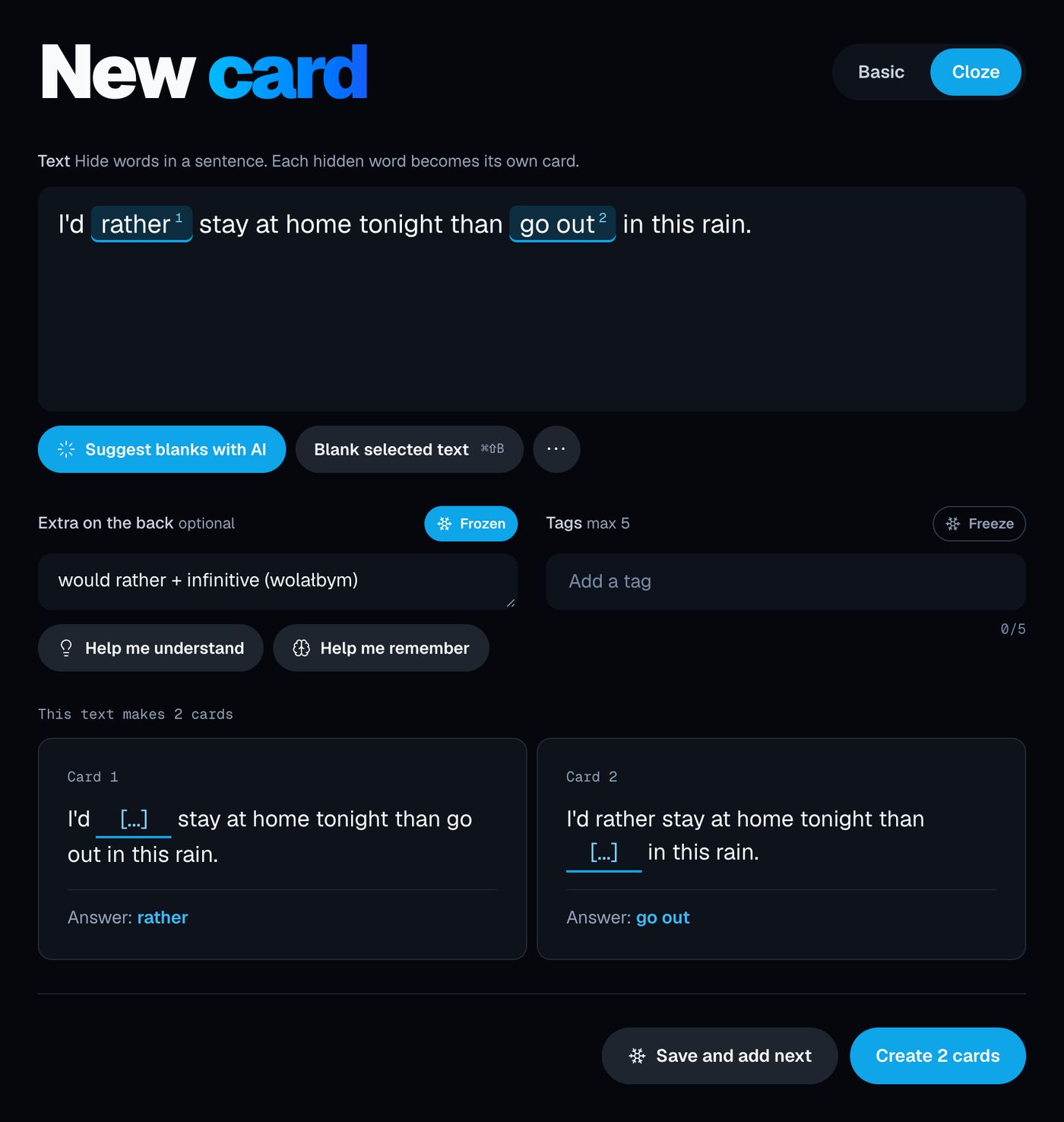
In OxyLesson, open New card
and switch to Cloze
. Type the corrected sentence, select the part you got wrong and press Blank selected text
(Cmd+Shift+B on a Mac, Ctrl+Shift+B elsewhere). Put your original version in Extra on the back
, so the answer shows what you used to say, and add the tag my-mistakes.
Three example cards I wrote for this article:
| Text | Extra on the back |
|---|---|
I {{c1::have lived}} here {{c2::since}} 2019. |
I said: I live here from 2019. |
She {{c1::told}} me the truth. |
I said: She said me the truth.You tell someone, you say something. |
It {{c1::depends on}} the weather. |
I said: It depends of the weather. |
Each blank number becomes its own card, so the first sentence, with two errors in it, gives two cards with separate schedules. The preview under the form shows how many cards the text makes before you save. A hint can name the kind of error without giving it away: {{c1::told::verb}} shows [verb] in the gap instead of [...].
In a review, the question shows the sentence with the gap, and the answer shows the full sentence with the hidden words highlighted and your old version under Extra
. Cloze cards are never flipped, even in the Back → Front
or Random
review modes, so the gap is always there.
When the mistake was a missing word, because you did not know how to say something at all, a Basic card fits better. Put what you meant, in your own language, on the front, the correct sentence on the back, and your attempt in Notes
.
Let the assistant file the corrections
If you practise conversation with Claude or ChatGPT, the assistant can add these cards to your library through OxyLesson's MCP connector. The setup is described in How to create flashcards with AI in OxyLesson.
Ask for the list first and the cards second, so you check each correction before it becomes a card:
Go through my messages in this conversation and list every mistake I made: my sentence, the corrected sentence, and the rule in one line. Do not create any cards yet.
Read the list, check anything you doubt as described above, and tell the assistant which items to drop. Then:
Create OxyLesson cloze cards for the corrections I kept. Use the corrected sentence as the text and blank only the words that were corrected. Put
I said:and my original sentence in the notes. Tag every cardmy-mistakes.
On a cloze card, what the assistant sends as notes lands in Extra on the back
. The connector skips a cloze card whose text is already in your library, so repeating the request does not create duplicates. Afterwards, open the library, filter by my-mistakes and read the new cards once before you study them.
Review the error log
In the library, click the my-mistakes tag chip, press Study
and keep Front → Back
in Choose review mode
. With a tag selected, the review uses only that tag's cards. Grade honestly: press Forgot
when the old wrong form came to mind first, even if you then remembered the right one. OxyLesson schedules every card with FSRS, so cards you recall move further apart and cards you miss come back sooner. Why spaced recall beats rereading is covered in Do flashcards really help in language learning?.
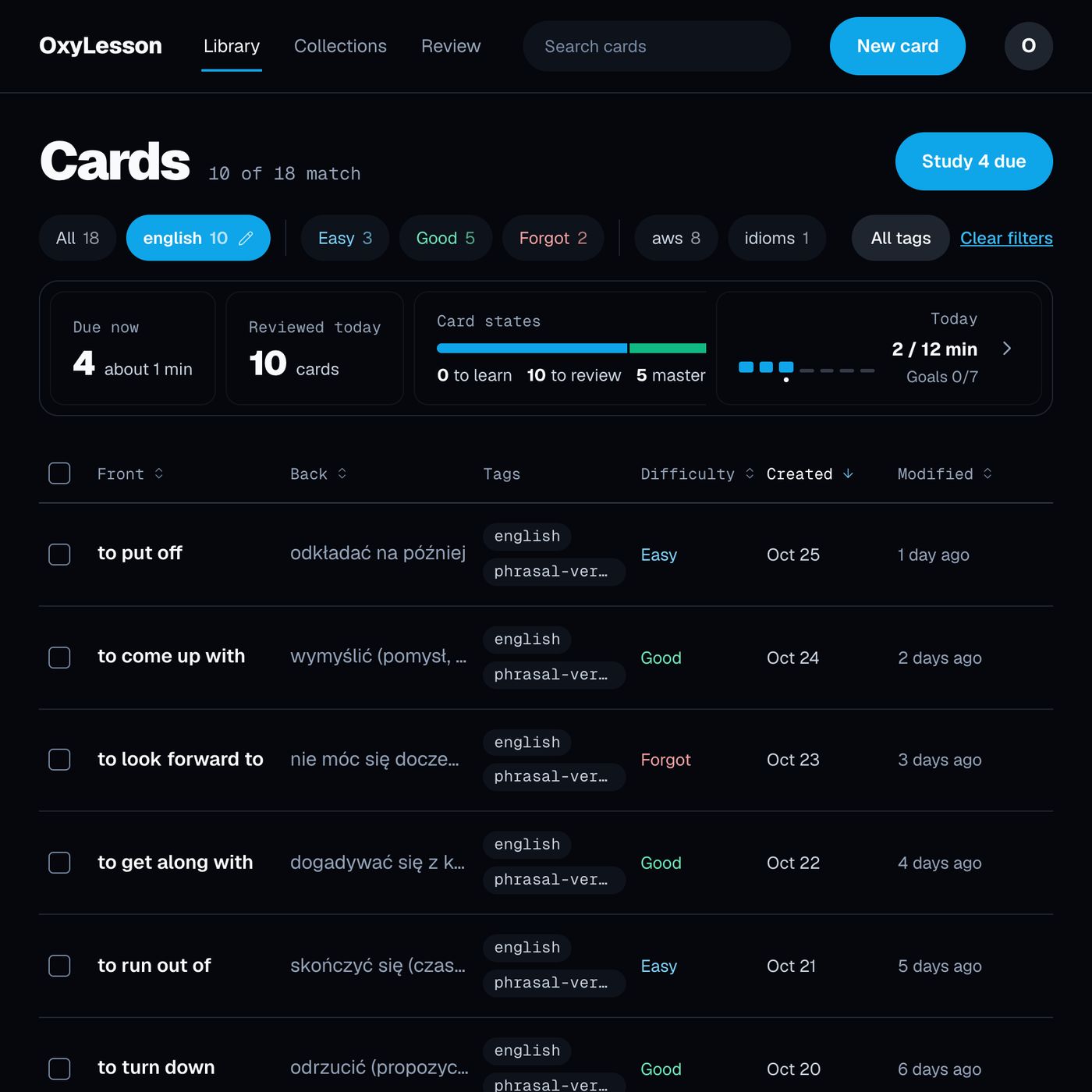
The difficulty chips next to the tags show where the log stands. Select my-mistakes and the Forgot
chip together, and the library lists the cards OxyLesson rates hardest: the mistakes whose difficulty has gone up because you keep grading them Hard
or Forgot
.
For each of them, try one of these:
- On the review answer, press
Help me understand
for a short explanation with an example sentence, andSave as note
to keep it on the card. Check this explanation too, as you would any other AI text. - Add a second card with a new sentence that needs the same correction, so you practise the rule and not one sentence you have memorised.
Add each week's corrections in one sitting, and keep reviewing the tag along with your other cards.
Sources:
- Butterfield, B., & Metcalfe, J. (2001). Errors committed with high confidence are hypercorrected. Journal of Experimental Psychology: Learning, Memory, and Cognition, 27(6), 1491-1494. https://doi.org/10.1037/0278-7393.27.6.1491
- Li, S. (2010). The effectiveness of corrective feedback in SLA: A meta-analysis. Language Learning, 60(2), 309-365. https://doi.org/10.1111/j.1467-9922.2010.00561.x
- Lyster, R., & Saito, K. (2010). Oral feedback in classroom SLA: A meta-analysis. Studies in Second Language Acquisition, 32(2), 265-302. https://doi.org/10.1017/S0272263109990520
- Metcalfe, J. (2017). Learning from errors. Annual Review of Psychology, 68, 465-489. https://doi.org/10.1146/annurev-psych-010416-044022
Cover photo by congerdesign on Pixabay.