Does image occlusion work for anatomy and diagrams? How many labels to put on one card
Yes. Image occlusion is retrieval practice on the picture itself, and retrieval practice helped a...
By Kamil
7 mins read
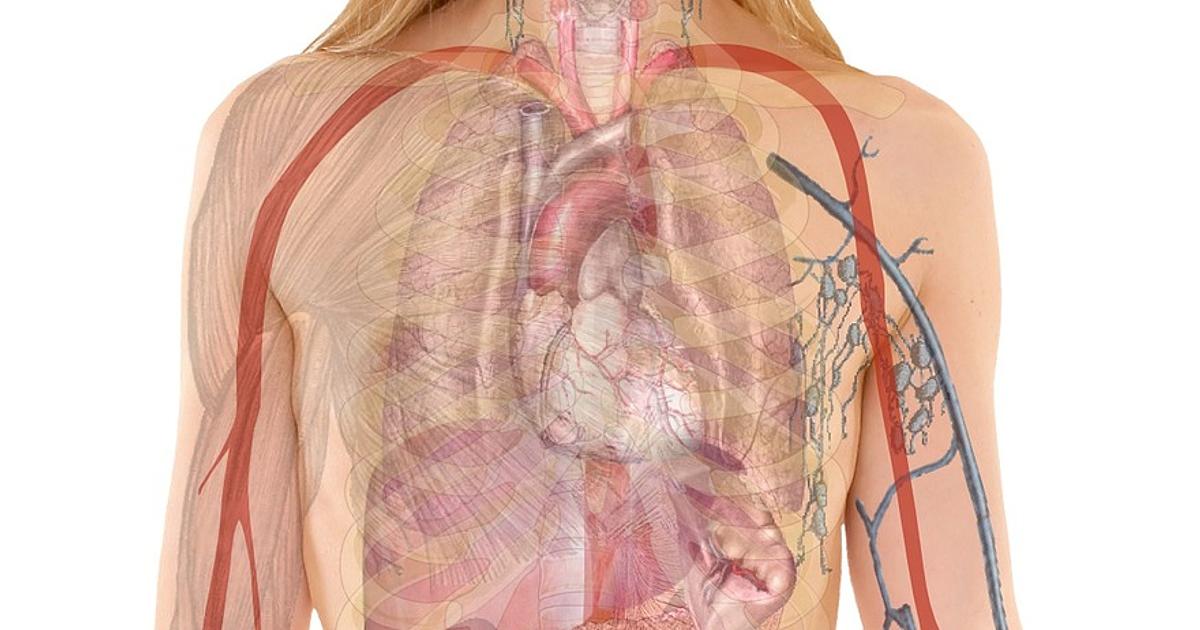
Yes. Image occlusion is retrieval practice on the picture itself, and retrieval practice helped anatomy students in class. Keep each card to a few labels from one region, because the whole card gets one grade.
Image occlusion means you cover the labels of a diagram and try to name each one before you uncover it. The test is the picture you will meet again in the exam or on the ward.
What the research supports
Two studies come from real courses. John Dobson gave anatomy and physiology students short retrieval quizzes on course material they had already been tested on. The quizzes added up to about two hours across the semester. In the last week of the semester, both quiz groups retained about 41% more of that material than the control group (Dobson, 2013).
Larsen, Butler and Roediger ran a randomised trial with paediatric and emergency medicine residents after a teaching conference. Each resident took tests with feedback on one topic and read a review sheet on another. More than six months later, the final test scores averaged 39% for the tested topic and 26% for the studied one (Larsen et al., 2009).
Neither study used image occlusion. Both tested retrieval, which is what a masked label asks of you. Looking at the labelled diagram again is closer to the review sheet in the Larsen trial.
How a masked card works in OxyLesson
In the card form, add a picture under Front image (optional)
. You can upload a file or find one with Search library
. When the image is there, an Add masks
button appears next to it. It opens a dialog called Mask answers on image
, where you drag rectangles over the labels. You can move a rectangle, take one away with Remove
(on a phone) or start again with Clear
. Then press Save
. The button now reads Edit masks (N)
, where N is the number of masks. A card holds a limited number of masks, and once you reach the limit the editor draws no more.
The front text becomes the prompt above the image, so write a real question there, such as Name the carpal bones, proximal row
. The card's Notes field holds the explanation, and the review shows it after the last mask.
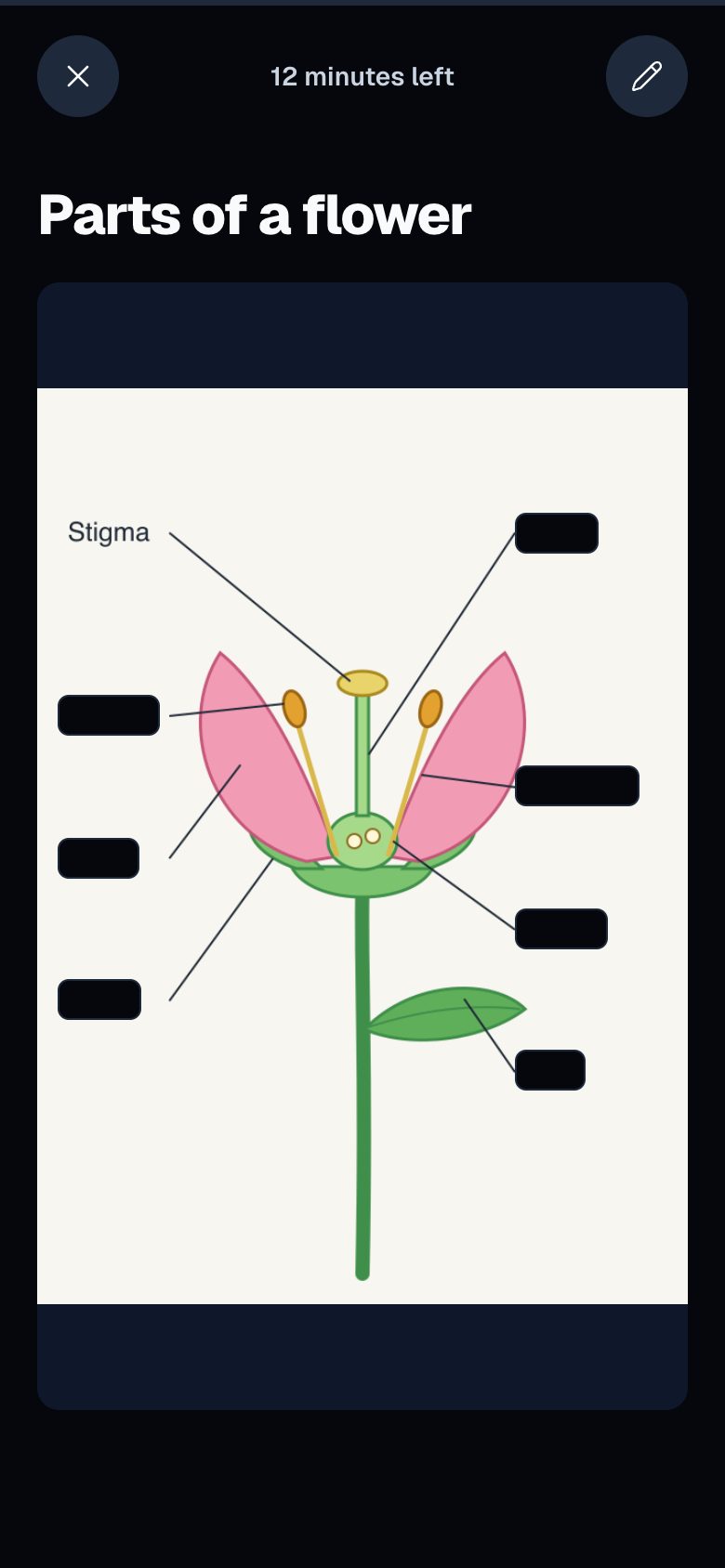
During a review, every mask is black at the start. You tap or click a mask to uncover it, in any order. The note and the grade bar (Easy
, Good
, Hard
, Forgot
) stay hidden until you have uncovered the last mask. Then you give one grade, and FSRS schedules the whole card from it.
Three more details shape how you build these cards:
- A masked card keeps no back image, and the masked review does not show the back text either. Put anything you want to read after the reveal in Notes.
- Masked cards always show the image with its masks, so
Back → Front
andRandom
do not flip them. - The masked review has no
Help me understand
orHelp me remember
buttons, and no generated audio. Write the explanation in Notes yourself, for example why a structure sits where it does.
Why one card should not hold every label
A card has one schedule. Suppose a card hides twelve labels of the hand and you miss one. If you press Forgot
, the eleven labels you knew come back early with it. If you press Good
, the one you missed waits until the next long interval.
This is the same rule as for text cards: one card should ask for one thing you can grade. Our guide to writing effective flashcard decks covers that rule for lists. With small cards, the honest grade is easy. You named every label, or you did not and you press Forgot
. Our article Do flashcards really help? explains why a false Good
costs you.
Anki solves this in another way. Its image occlusion makes one card for each shape you draw, or for each group of shapes, and you choose whether the other labels stay hidden (Hide All, Guess One
) or visible (Hide One, Guess One
) (Anki manual). An OxyLesson masked card is one card per image, with all its masks, so you get the same control by cutting the image into regions.
How to split a diagram into cards
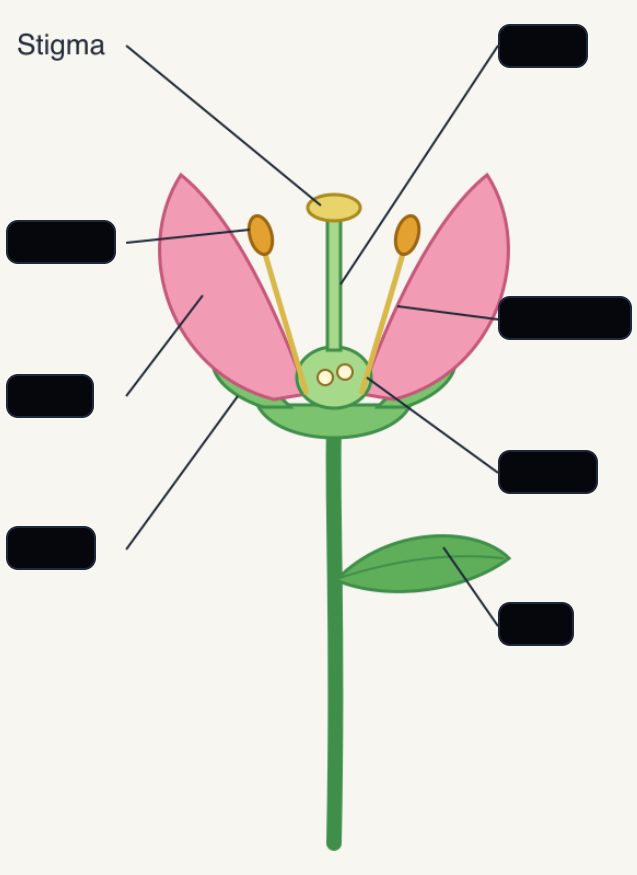
A good size is a group of labels you would name together and grade as one answer: the bones of the proximal row, the chambers of the heart, the branches of one artery. A simple diagram with clear labels, like the flower above, can be one card. A dense atlas plate should be several.
To make one card per region:
- Create a card and add the full diagram as the front image.
- Press
Crop & zoom
and frame one region, for example the wrist. - Press
Add masks
and cover the labels of that region only. - Write the front as a question about that region, and add the explanation to Notes.
- Turn on
Freeze
for Tags so the next card keeps the same tag, then pressSave and add next
and repeat with the next region.
Crop before you draw masks. A crop replaces the image, and the form then clears the masks, because they were drawn on the old picture. Freeze keeps the text fields and tags, not the image, so add the diagram again for each region.
If two labels are easy to confuse, such as two neighbouring bones, put them on the same card. Then you have to tell them apart each time.
Where to find diagrams
Use pictures you have the right to use: your lecture slides, your own drawings or an open textbook. OpenStax publishes Anatomy and Physiology 2e free online under a Creative Commons Attribution-NonCommercial-ShareAlike 4.0 licence. That licence allows noncommercial reuse with credit to OpenStax (OpenStax). Atlas figures from commercial publishers are usually copyrighted.
If you already have an Anki image occlusion deck, it will not come across. The Anki import keeps text, tags and cloze notes, but not images, so you rebuild those cards from the source figures.
A study routine for diagram cards
Tag every card from one figure or chapter, such as anatomy-upper-limb. Before an exam block, filter the review by that tag. A review shows only cards that are due, and OxyLesson has no exam-date setting or study-ahead mode, so start the regions early enough to see each card a few times before the exam.
Say each label out loud before you tap its mask. When you notice that you guess the answer from the shape of the black box, draw the mask a little larger than the word. After a week, filter the library by Forgot
. A card that keeps landing there usually holds too many labels or two that look alike, so split it into smaller regions.
The image occlusion feature page and the page for medical students show where masked cards fit in a wider study plan.
Sources:
- Dobson, J. L. (2013). Retrieval practice is an efficient method of enhancing the retention of anatomy and physiology information. Advances in Physiology Education, 37(2), 184-191. https://doi.org/10.1152/advan.00174.2012
- Larsen, D. P., Butler, A. C., & Roediger, H. L. (2009). Repeated testing improves long-term retention relative to repeated study: A randomised controlled trial. Medical Education, 43(12), 1174-1181. https://doi.org/10.1111/j.1365-2923.2009.03518.x
- Anki Manual,
Image Occlusion
(Editing chapter). https://docs.ankiweb.net/editing.html#image-occlusion - OpenStax. Anatomy and Physiology 2e, Preface (licence). https://openstax.org/books/anatomy-and-physiology-2e/pages/preface
Cover photo by geralt on Pixabay.